

Changing many records
Change fields or relationships across a collection, or delete selected records, after reviewing a preview. These actions need Bulk and import, permission to write the selected types in the current context, and a deployment that allows jobs. Publications and retired workspaces are read-only. A Contributor works in a change set rather than Live.
Choose exactly which records
Section titled “Choose exactly which records”Tick individual row checkboxes, use Shift for a range, or select the rows shown. The selection bar counts them. Select all … matching, or Cmd+A when the collection selection handles the shortcut, selects every record matching the search and filters, including rows not yet drawn. Untick individual records to leave them out. Clear selection removes the selection. Check whether the bar says a count or All … matching except … before starting an action.
The deployment limits how much one change can hold. An oversized selection reports its count, the limit and what to do: narrow the list or select fewer records. A relationship change may make several changes per selected record, so its limit can be reached sooner.
Preview, then apply
Section titled “Preview, then apply”- Change values sets or clears selected fields. Fields not added to the change keep their values.
- Change relationships adds, removes or replaces one kind of connection. It does not edit fields on the connections themselves.
- Delete many records includes children and owned dependants. Independent connected records stay.
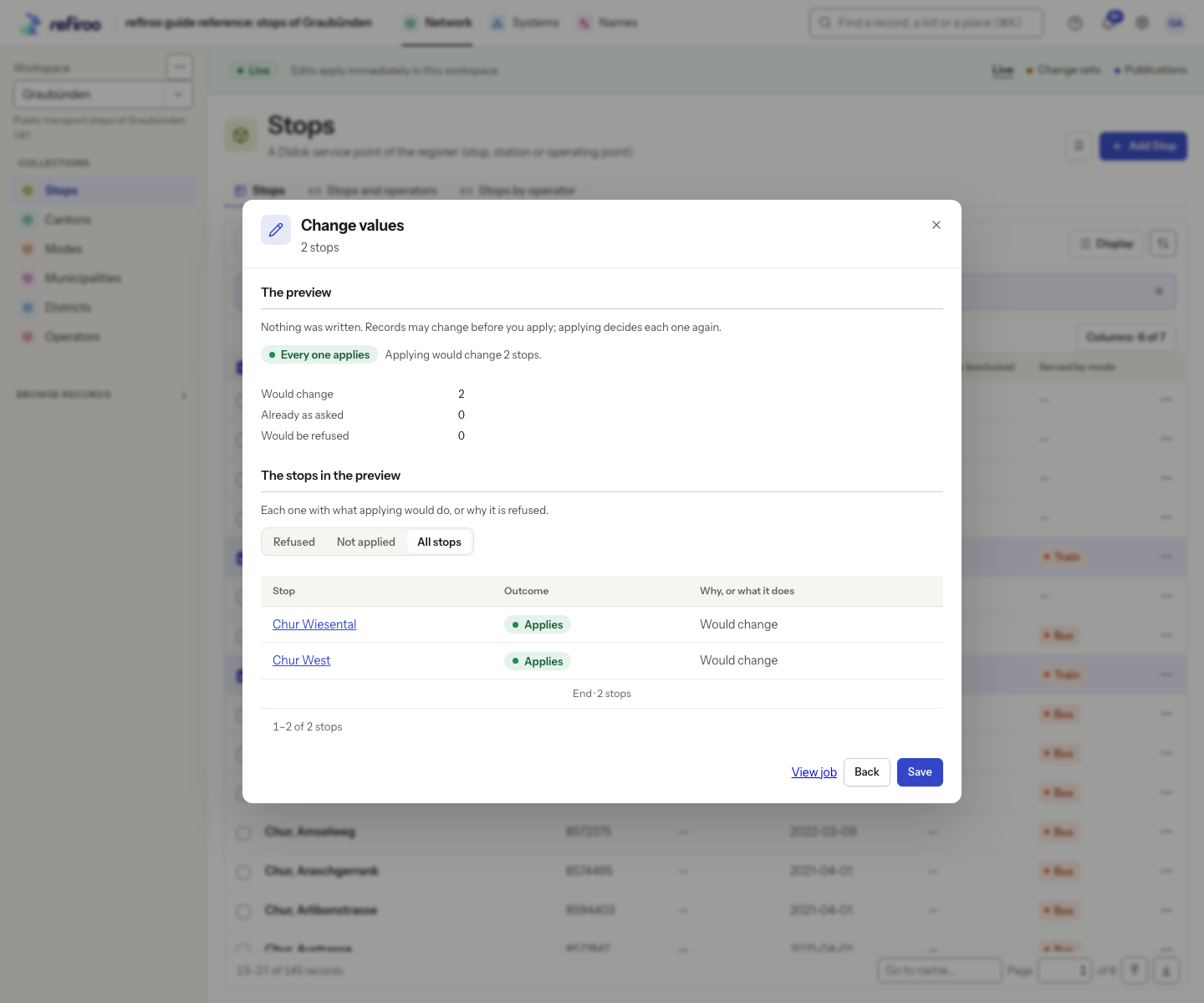
Choose whether a refusal should Change the rest or Change none. The all-or-nothing choice has its own deployment limit and disappears when this change exceeds it. Deletion uses the corresponding delete choices. Nothing is written by Preview. Read the counts of changes, unchanged records and refusals, and open refused records to inspect their reasons.
Apply checks the records again. Someone else’s saved changes are refused instead of overwritten. A relationship change also checks that the connections have not changed since preview. A deletion checks the exact impact, including children added in the meantime. For a sampled deletion preview, only items whose impact was actually previewed are authorised; other items need a new preview and may be refused during execution.
Finish or leave the dialog
Section titled “Finish or leave the dialog”The result reports what actually changed, what did not need changing and what was refused. Preview again retries against the data as it is now. The selection remains for another change; deleted records leave it. Do not assume a finished job means every item succeeded.
Before applying, Back, closing the dialog or clicking outside cancels its waiting preview. View job keeps the preview waiting on its job page, where you can apply or cancel it. Once applying, Keep running in the background leaves the job working. Stopping a job does not undo chunks it has already committed. If a colleague changes a shared change set between chunks, the next chunk can fail while earlier chunks remain applied.
Default limits
Section titled “Default limits”Normally one background change can hold up to 1,000,000 items, a preview tries at most 10,000 items, and Change none or Delete none can hold at most 10,000 items. The operator can change these limits; use the count and limit shown by your dialog. An item is a requested change, so one selected record can contribute several items to a relationship change. A sampled preview is not a promise that all remaining items can succeed.
For Delete, the refusal choices are Delete the rest and Delete none. The first allows valid deletions to continue when another item is refused. The second applies none unless the whole operation can succeed within its limit.