

Narrow a grant to record types
Use a narrowed grant when someone may change only part of a workspace’s data. You need Security administration. This limits writes; Browse still reads the whole workspace. Use separate workspaces if readers must not see each other’s data. Read Roles and grants before proceeding.
- Open Settings › People and access › People or Groups, or Settings › Connections › Clients and open the recipient’s row. Inspect their direct and inherited grants first. Grants combine: another unrestricted grant can allow writes outside the restriction you are adding.
- Choose Grant. For a client, choose Roles, rather than Consumer APIs. Select exactly one role containing a group that can be narrowed: Edit live, Work in change sets, Publish, Bulk and import, or Copy and move.
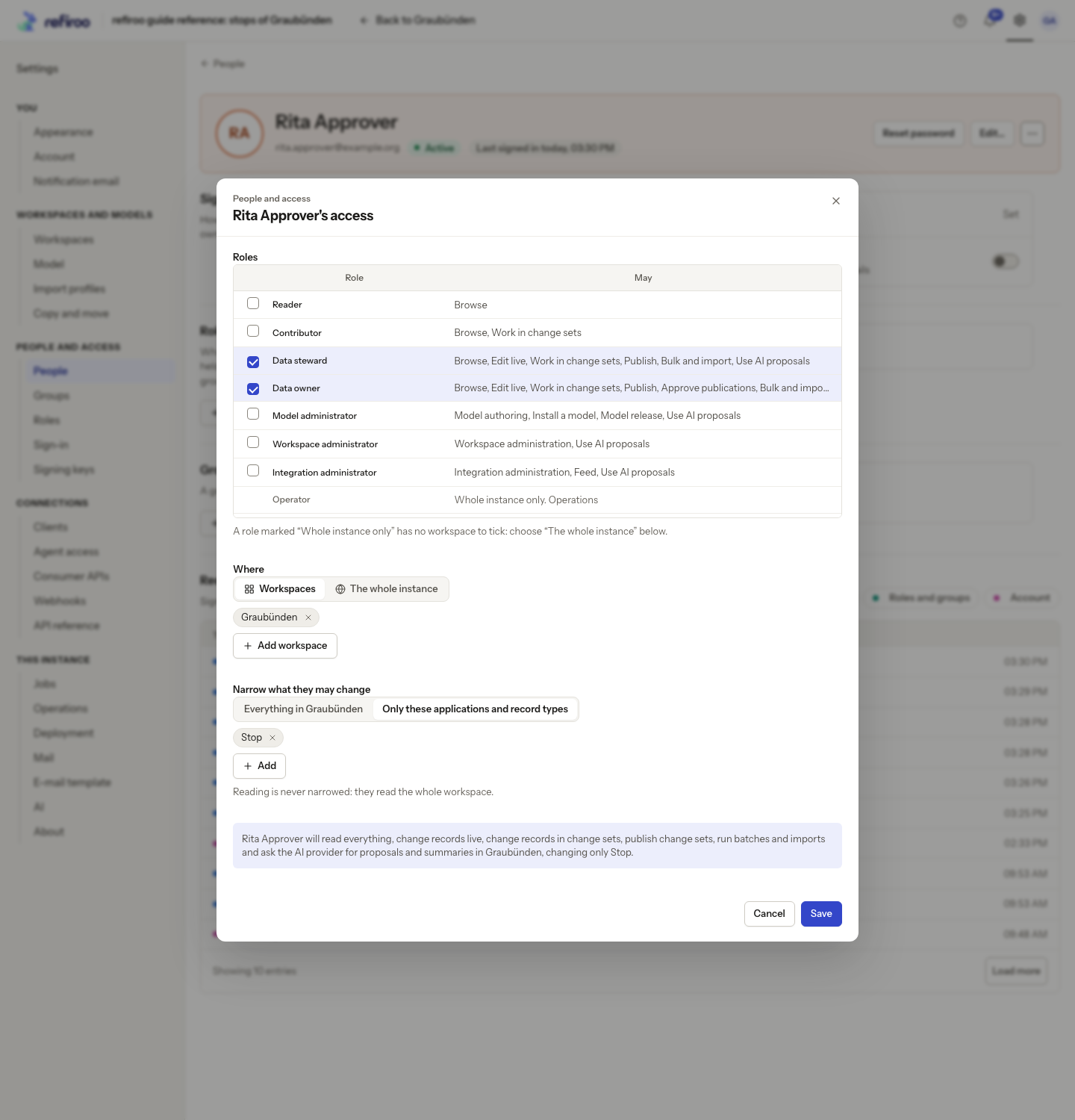
- Under Where, choose Workspaces and select exactly one workspace with Add workspace. The narrowing control appears only for one role in one workspace. Instance grants and consumer API grants cannot be narrowed.
- Under Narrow what they may change, choose Only these applications and record types. Select the intended applications and record types from that workspace’s model. Selecting an application permits its records; selecting a record type permits that type. Either match is enough, so choose a type alone when the whole application would be too broad.
- Read the resulting permission sentence and the warning that reading is never narrowed. Check the selected role, workspace and restrictions, then choose Add grant.
- Inspect the resulting Narrowed to (writes) entry. Have the recipient check Account › What you can do and try the intended task. A relationship can be changed when either endpoint is writable. A batch or import can refuse individual items outside the allowed types; publishing a change set with any unpermitted type is refused as a whole.
If an unrestricted grant already exists, remove that source separately after arranging the replacement. Simply adding a narrower grant does not reduce existing access. Group-supplied grants must be reviewed at their group too.
After a model change, review grants marked stale. A missing application or type no longer permits those writes; replace the old grant with the intended choices from the current model. If a grant is refused, keep successful grants in mind, read the retained failure reason and retry only after correcting it.