

Clients for other systems
A client is the identity of a system that calls refiroo without a person signing in. Use one for an unattended import, a data consumer, a monitoring system or another integration. Its work carries its own name in history. People using the browser sign in as themselves.
You need Security administration to manage Settings › Connections › Clients. Use Search clients (Name) to search the list, which separates Active and Deactivated clients and shows when a client last authenticated, or No token yet when it has not. Open a row for the client’s page; ← Clients on its first line returns to the list.
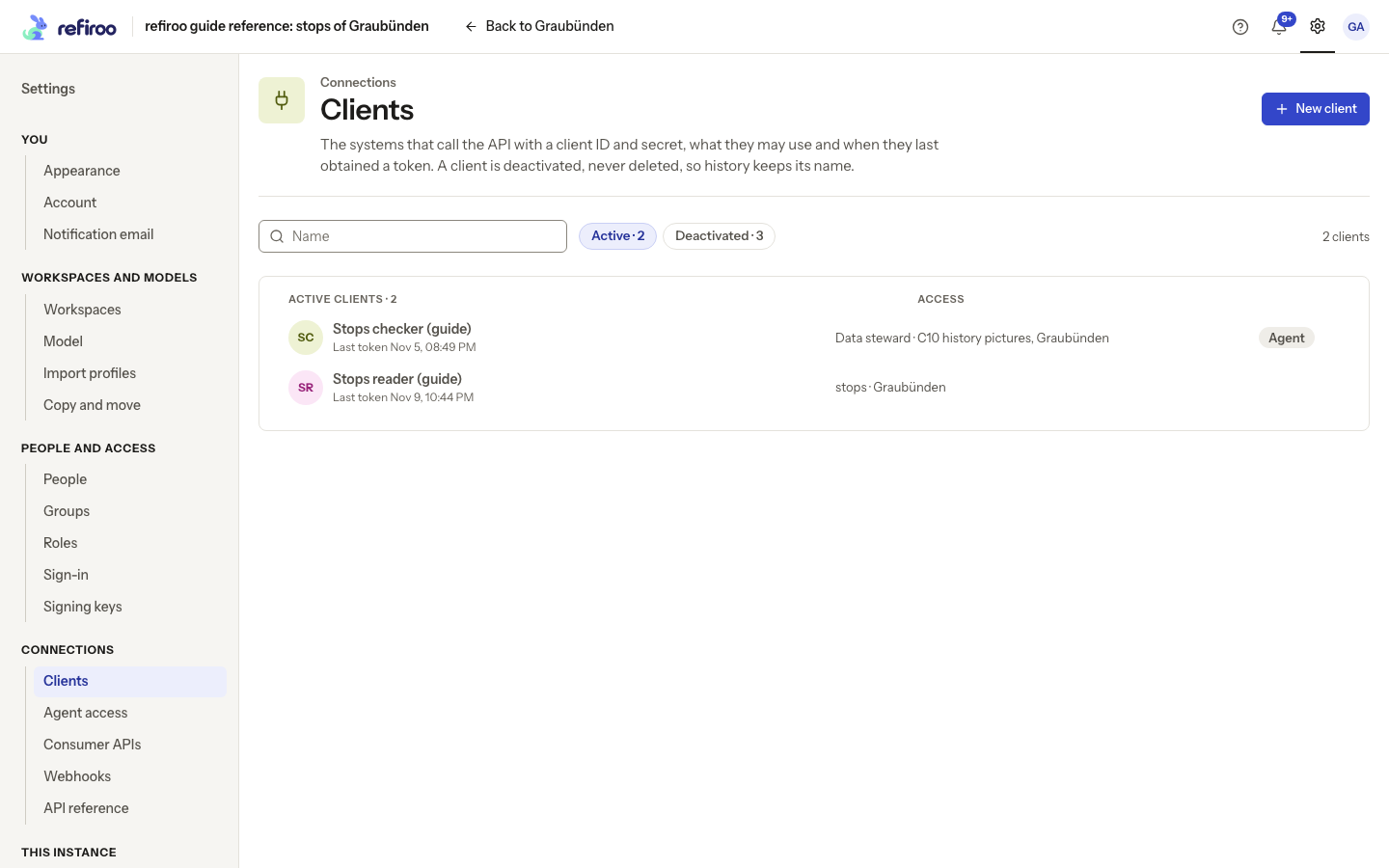
Above: Stops reader (guide) is the reference instance’s client for reading stop data.
Identity and access
Section titled “Identity and access”A client has a stable Client ID, a display name and a secret. Select the name where it stands, edit it, then leave the field or press Enter to save. Escape puts the old name back; an unchanged input saves nothing. The save notice offers Undo. If refused, the input stays open with the reason and Cancel and Save again beneath it. Its ID stays the same, so the connected system needs no new configuration. New client asks for Name. Add client opens Copy the client’s secret. Store the ID and secret securely before I have copied it; the secret is shown once. A new client starts with no access. Follow Create a client to create it, save its one-time secret and grant what it needs.
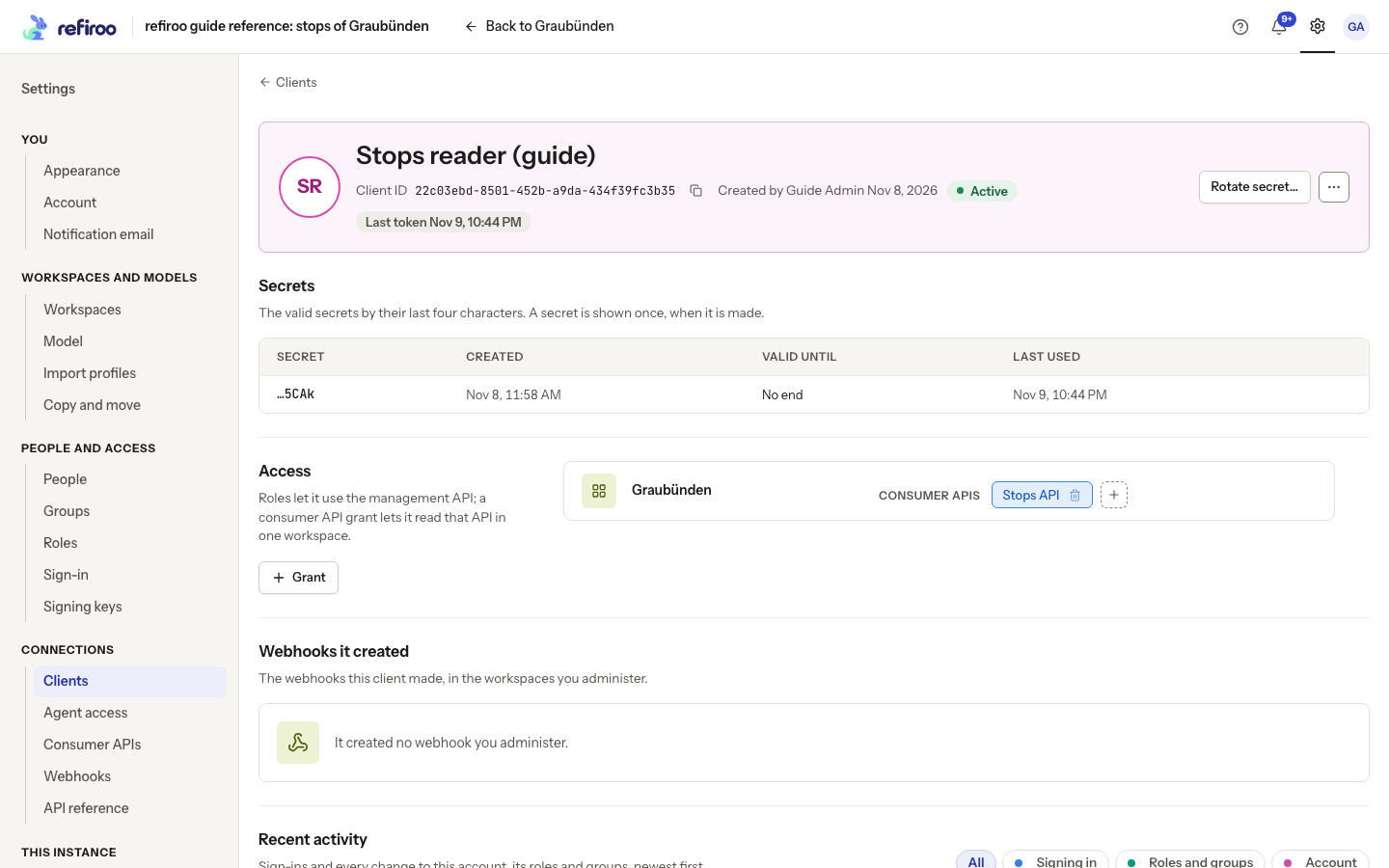
Above: Stops reader (guide) has a Stops API grant in Graubünden. Webhooks it created says it created no webhook you administer.
A Role grant permits management operations, using the same roles and write restrictions as people. A Consumer API grant permits reading one declared API in one workspace. Both kinds can be needed. A role alone, even Security administrator, does not grant consumer data access. Consumer grants must be made separately for each API and workspace.
The Access table shows where each grant applies and any write restriction. Grant opens the access dialog. Remove takes away that grant; any other applicable grants continue. If the model removes a granted consumer API, the stale grant no longer permits access. Replace it with a grant for the intended current API.
Follow Grant a consumer API to a client for the grid and its partial-success handling. Give the integration team the ID, secret and agreed access. The integration authentication guide describes how their system signs in and uses the granted interfaces.
Secrets and rotation
Section titled “Secrets and rotation”The full secret is shown only when created. Copy it before closing the dialog; the client page later identifies it by its last four characters. The Secrets table shows Secret, Created, Valid until and Last used. No end means no expiry is currently set; Not yet means the secret has not been used.
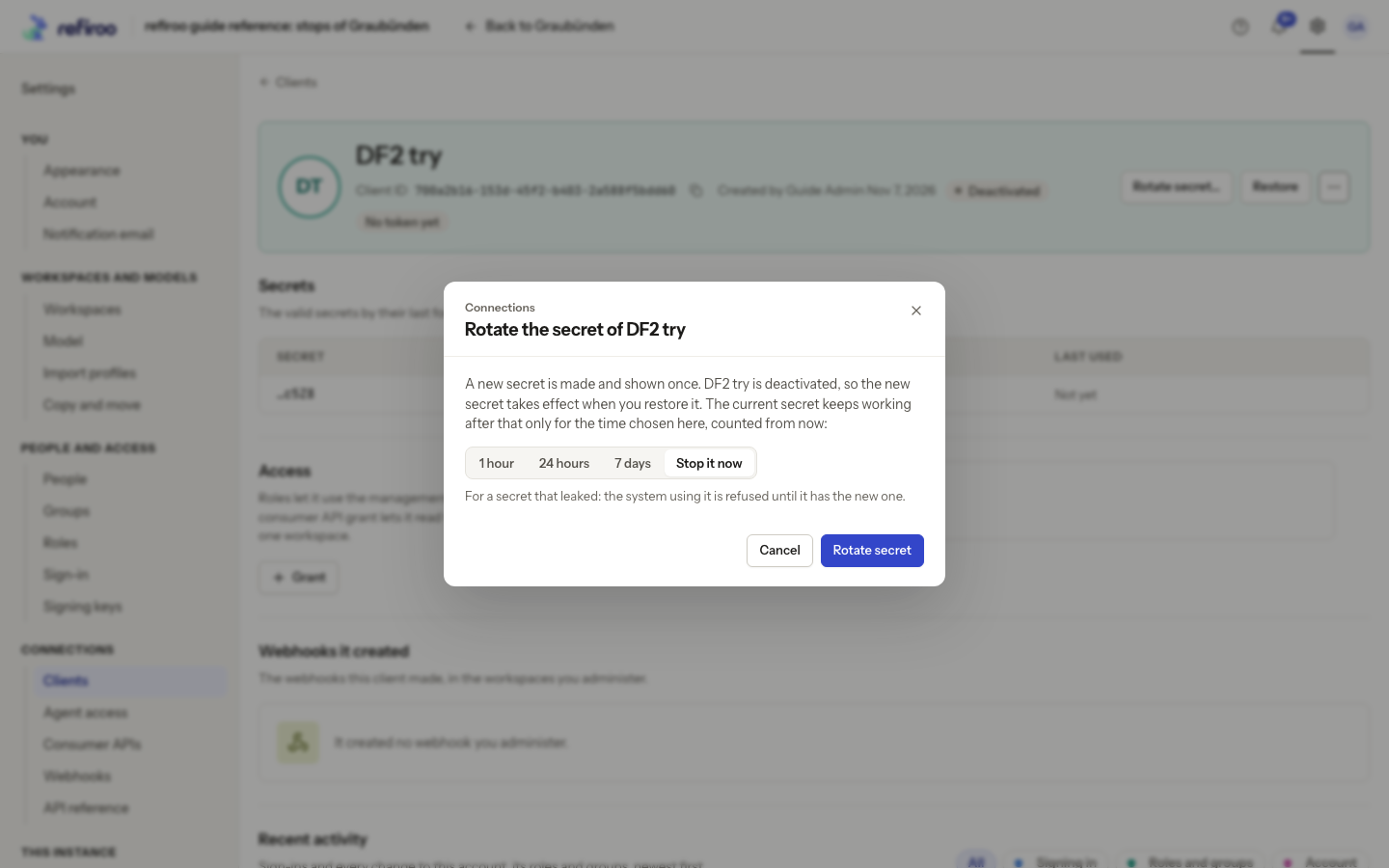
Rotate secret… opens Rotate the secret of …. Rotate secret makes the replacement with a chosen overlap: 1 hour, 24 hours, 7 days, or Stop it now. During an overlap the system can switch without interruption; after it, the previous secret no longer works. End now in the Secrets table ends a previous secret’s overlap early. Its accessible label, End the secret ending … now, identifies the last four characters; it acts immediately. No valid secret: rotate to make one. means there is no usable secret left. Use the recorded ending and last-use times to check the handover. Follow Rotate a client secret.
Ending access and tracing work
Section titled “Ending access and tracing work”More actions › Deactivate asks for confirmation. The client cannot authenticate again and its existing access is refused at the next request. Its grants and name remain for history. It is never deleted. Open the client from the Deactivated list and use Restore to reactivate it after reviewing those grants.
More actions › See changes opens its data changes in workspaces you may read. Recent activity shows security events; Webhooks it created lists subscriptions you administer. A failed section offers Retry. Treat a load failure as unavailable information, not an empty list. See Who changed what for the distinction between data and security history.
Consumer API grants are for clients only. People use their browser roles to read records; there is no corresponding grant to a person. In the Grant dialog, choose the consumer APIs and workspaces in the grid, check the existing grants and confirm the intended additions. The available APIs come from each workspace’s own model.
The client’s header identifies who created it. Webhooks it created lists Webhook, Workspace, Consumer API and State for someone who also administers those subscriptions; it is not a grant of webhook management. Follow a webhook to its configuration and deliveries.
Recent activity has All, Signing in, Roles and groups and Account filters, grouped by day. It starts with ten entries, then loads twenty more, with Show fewer to shorten the list. Its security events contain no secret. Data changes remain in See changes, limited to workspaces the viewer may read.
Rotation and ending an old secret stop that secret being used for a new sign-in. They do not themselves cancel access already issued. For immediate refusal of an unsafe client’s requests, Deactivate is the relevant action. Check retained grants before Restore, which acts immediately. Clients are deactivated and restored rather than deleted.
Clients for assistants
Section titled “Clients for assistants”Create an external assistant’s client with New agent client under Settings › Connections › Agent access. Its grants are restricted to reading and preparing changes through that connection; it cannot approve, publish or write live data. It is distinct from an ordinary integration client. Follow Manage an assistant’s access.
The built-in assistant instead has a dedicated client for each task, managed by refiroo and omitted from the normal client list. You do not create a secret for that session client. See AI settings and access for its permissions, costs and retention.
Plan the next replacement
Section titled “Plan the next replacement”A newly created secret has No end until a later rotation gives it an overlap deadline or someone ends it. There is no automatic client-secret rotation. Agree who owns the integration and its next handover. Each rotation shortens all older still-valid secrets to at most the chosen overlap; it never extends an earlier deadline. Check every running copy of the receiving integration before ending an older secret.
If a client changed while the page was open, reload its details before repeating a rename, rotation or deactivation. A successful rotation followed by a lost one-time dialog needs another rotation, rather than another client identity. Deactivation does not replace a secret. Rotate secret… is available for both Active and Deactivated clients.
For a leaked secret, choose Deactivate first and confirm. Select the client in Deactivated, choose Rotate secret…, then Stop it now and Rotate secret. Save the replacement from its one-time dialog and have the integration owner configure it. Review retained grants before choosing Restore. Rotation does not restore a client: the new secret takes effect when the client is restored.
The overlap is counted from making the replacement, including time spent deactivated. It does not start again on Restore. With Stop it now, older secrets expire immediately; with a nonzero overlap, an older secret may still work after restoration until its deadline.
Moving or restoring these identities is part of the operator’s instance backup and restore. A client recreated with the same name has a different ID and secret, and does not inherit the old grants or history.
Deactivation blocks access while the client is inactive. Restoring it can allow previously issued access again if that access has not expired; deactivation is not permanent revocation of every earlier sign-in. Coordinate secret replacement and the lifetime of previously issued access with the integration owner before restoring a compromised client.