

Choose what moves
Open a mapping for the source and target workspaces. Choose Copy to keep source data or Move to also prepare source deletions. See Model mappings.
-
Check the source and target, then choose Change… beside What to copy or What to move.
-
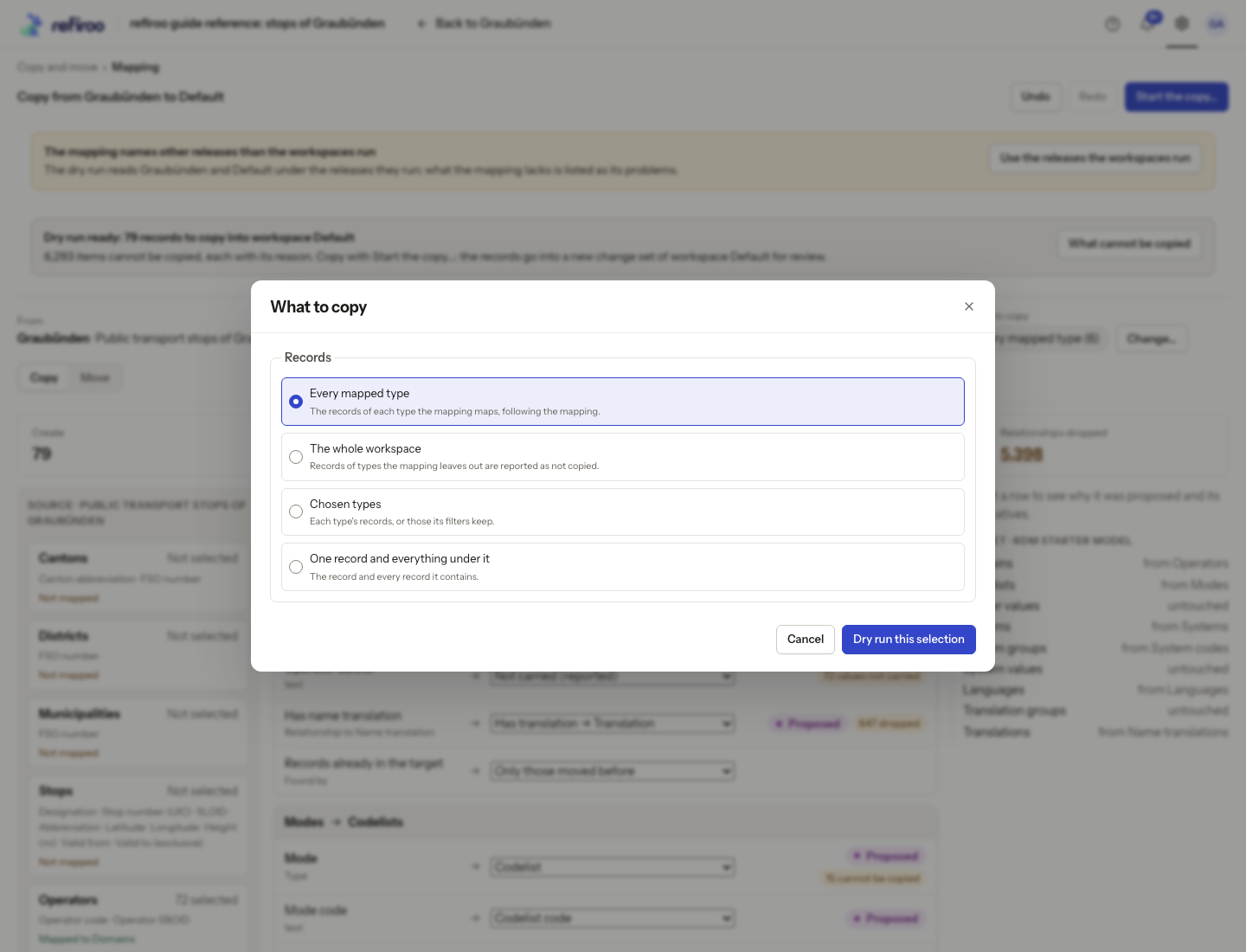
Under Records, choose the scope:
Choice What it includes Every mapped type Records of each source type the mapping handles. The whole workspace All source types, with excluded types reported as not copied or moved. Chosen types Selected types and, where set, only records matching their filters. One record and everything under it A starting record and all its contained descendants. -
For Chosen types, tick the types and review their filters. For a branch, set Type of the record, then find The record in the source workspace. A similar name elsewhere does not identify the same branch.
-
Choose Dry run this selection. Cancel keeps the previous selection. Wait for the fresh report and inspect creates, updates, records refused and relationships carried or dropped.
-
Open What cannot be copied or What cannot move for reasons and affected items. A relationship whose target cannot be resolved may be dropped even if a record can go. Inspect Values not carried too. Correct the mapping or deliberately narrow the scope.
Changing the selection runs the check again. Nothing eligible prevents starting. When ready, follow Move records to another model for confirmation and publication of the resulting change sets.