

Edit a workspace’s model
Use this path when changing the model for a particular workspace. You need Model authoring, Model release there and Browse, with model administration enabled. A retired workspace does not offer this action. See Managing workspaces.
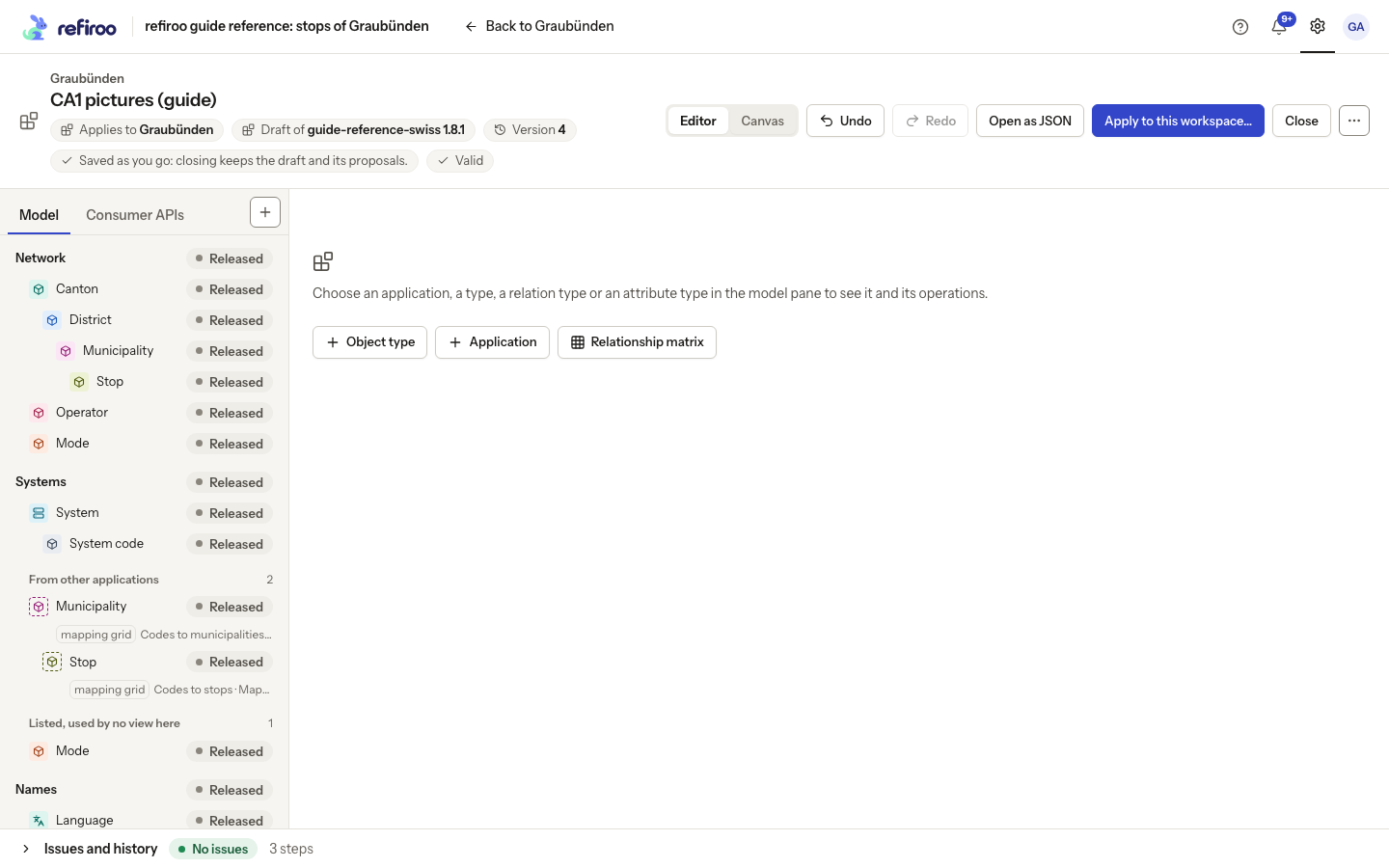
- Open Settings › Workspaces, then the workspace. Check its current model and choose Edit model. The workspace’s menu also offers this action where your access allows it.
- Read Applies to in the editor. It identifies the destination. Later visits reopen the saved workspace draft; closing keeps the work rather than applying it.
- Make the intended changes and review History, Issues and preview. No live record or active definition changes merely because a draft step was saved.
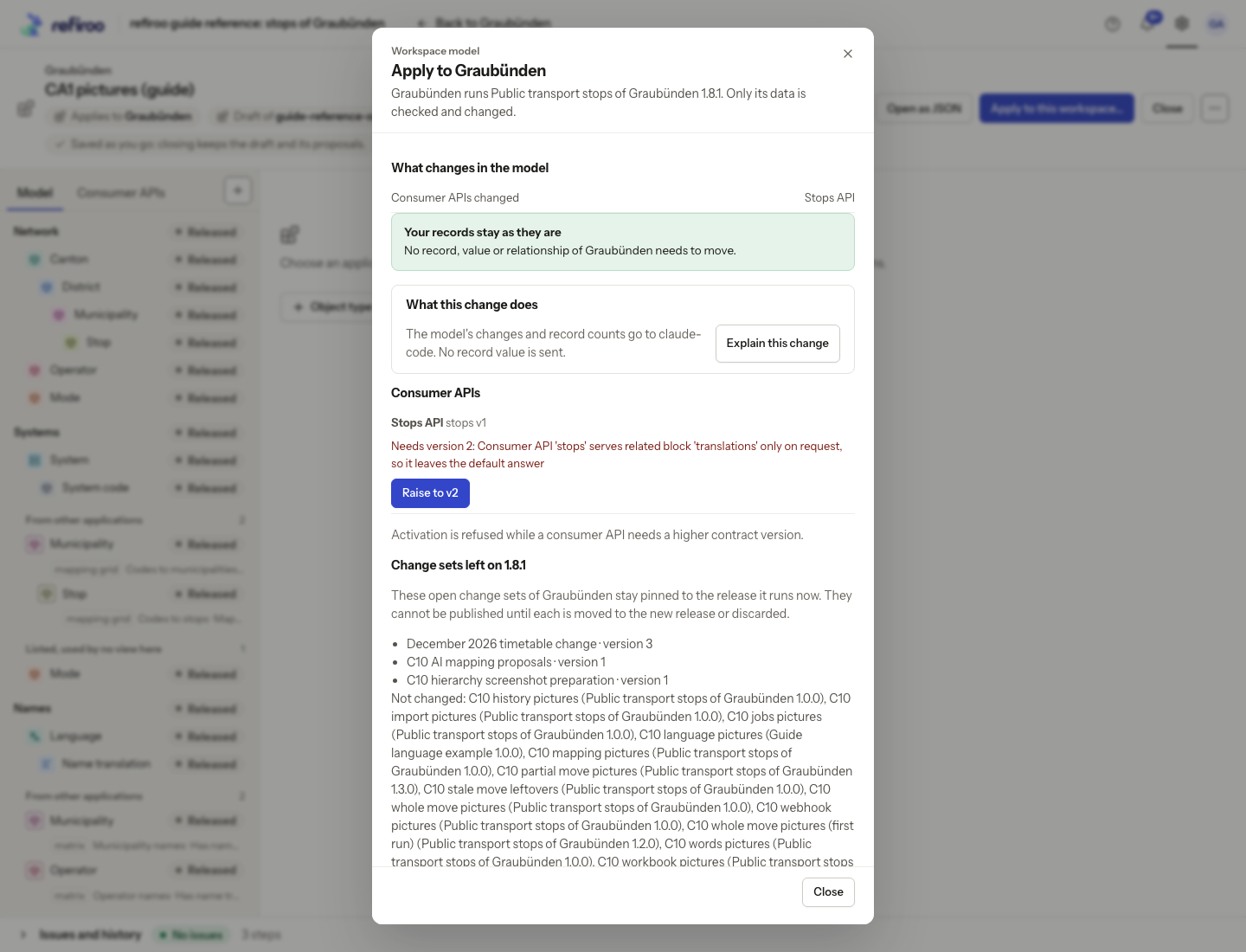
- Choose Apply to this workspace…. Read the model changes, data and consumer checks, old change sets left behind and other workspaces left unchanged.
- Not valid needs model fixes. Nothing to apply yet means no applicable change. Your records stay as they are means no data conversion is required. Some records must move first offers Preview what happens to the records…; follow Migrate a workspace for the separate review.
- Confirm only after checking the named workspace. On success inspect its model and applications. On Not applied, read the reason, reload the current state and check again before retrying.
To choose an already installed release instead, follow Change a workspace’s model.
A workspace remembers at most one current draft. If its model changes elsewhere, that older draft is detached from the workspace rather than deleted. Reopen Edit model to obtain the current draft instead of applying an old tab without review. If installation succeeded but activation failed, the flow retries against the installed release; inspect the reported state rather than installing the same release again.
Ask for a change in words
Section titled “Ask for a change in words”The workspace menu also offers Change this model… when the assistant and your rights allow it. Follow Change a model with the assistant to review its draft and complete the record moves. Apply can separately explain the change through the configured provider.