

Export a release
Use export to hand a model document to a specialist author or keep a copy of its definitions. It exports the model, not workspace records. See Releases.
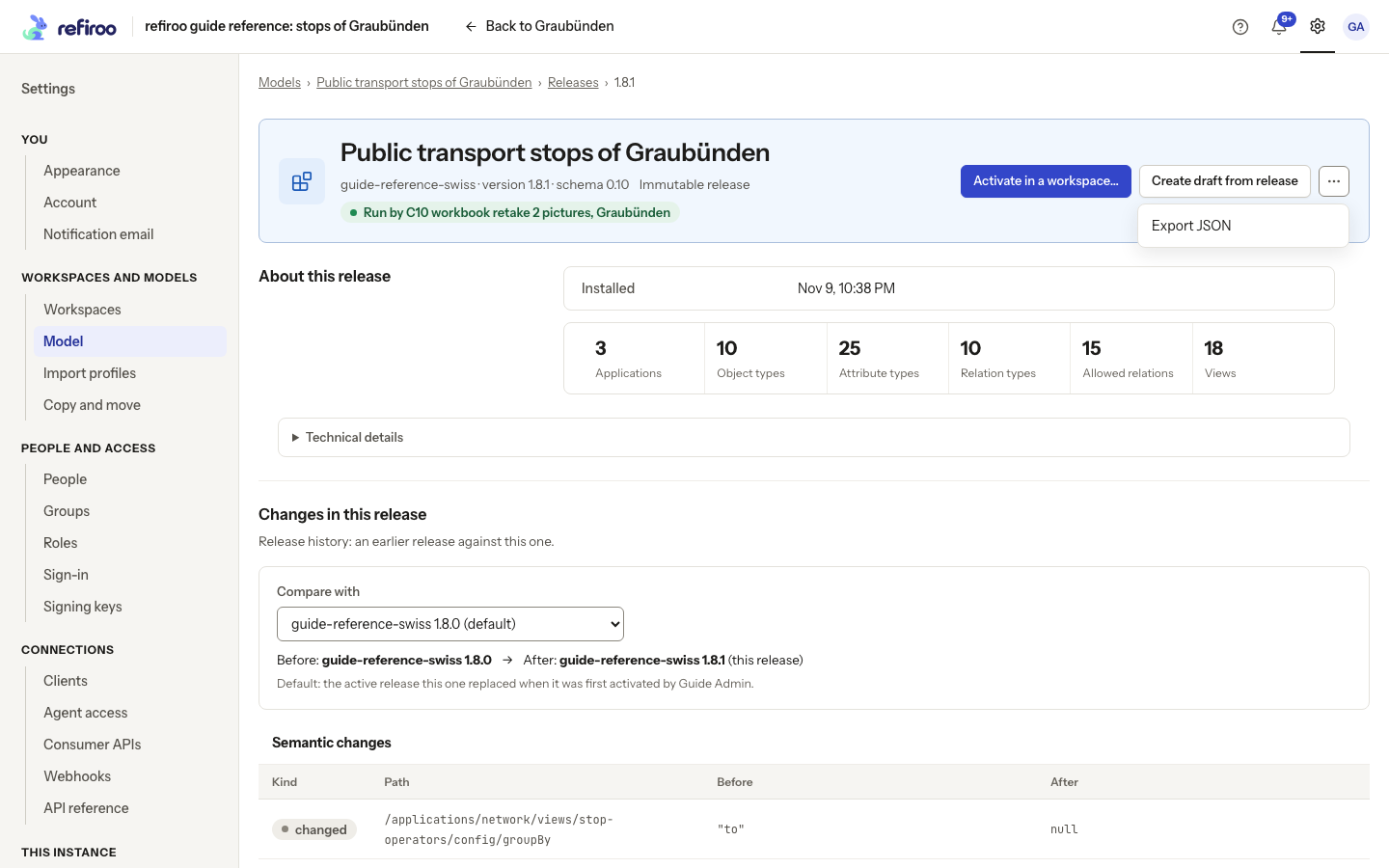
- Open Settings › Model, the model’s Releases, then the intended version. Check its name, version and Immutable release state rather than opening a similarly named draft.
- Choose Export JSON in the header, or under More actions if it is not shown there, and keep the downloaded document. The installed release is unchanged. Export is also available for historical definitions the current editor cannot interpret.
- If you need to identify it precisely, open Technical details. Use Copy beside Release ID and Content hash. The hash identifies the content; the displayed version is a human-facing release label.
- To edit a copy, use Create draft from release or the draft creation dialog’s Import JSON option. Importing a document does not activate it. For data backup, use the operator’s backup procedure instead of treating this file as a workspace export.
If the download fails, read the displayed failure and retry after correcting its cause. The downloaded file alone does not include records, access grants or publication history.