

Connect an assistant
Use this sequence for an external assistant that supports MCP Streamable HTTP. Assistants and agents explains the tools, ownership rules and permission ceiling. The assistant receives the data it reads and may send it to its provider; check its data policy and charges first. refiroo keeps call metadata, with argument names but not their values; see AI data, costs and retention.
1. Get the connection address
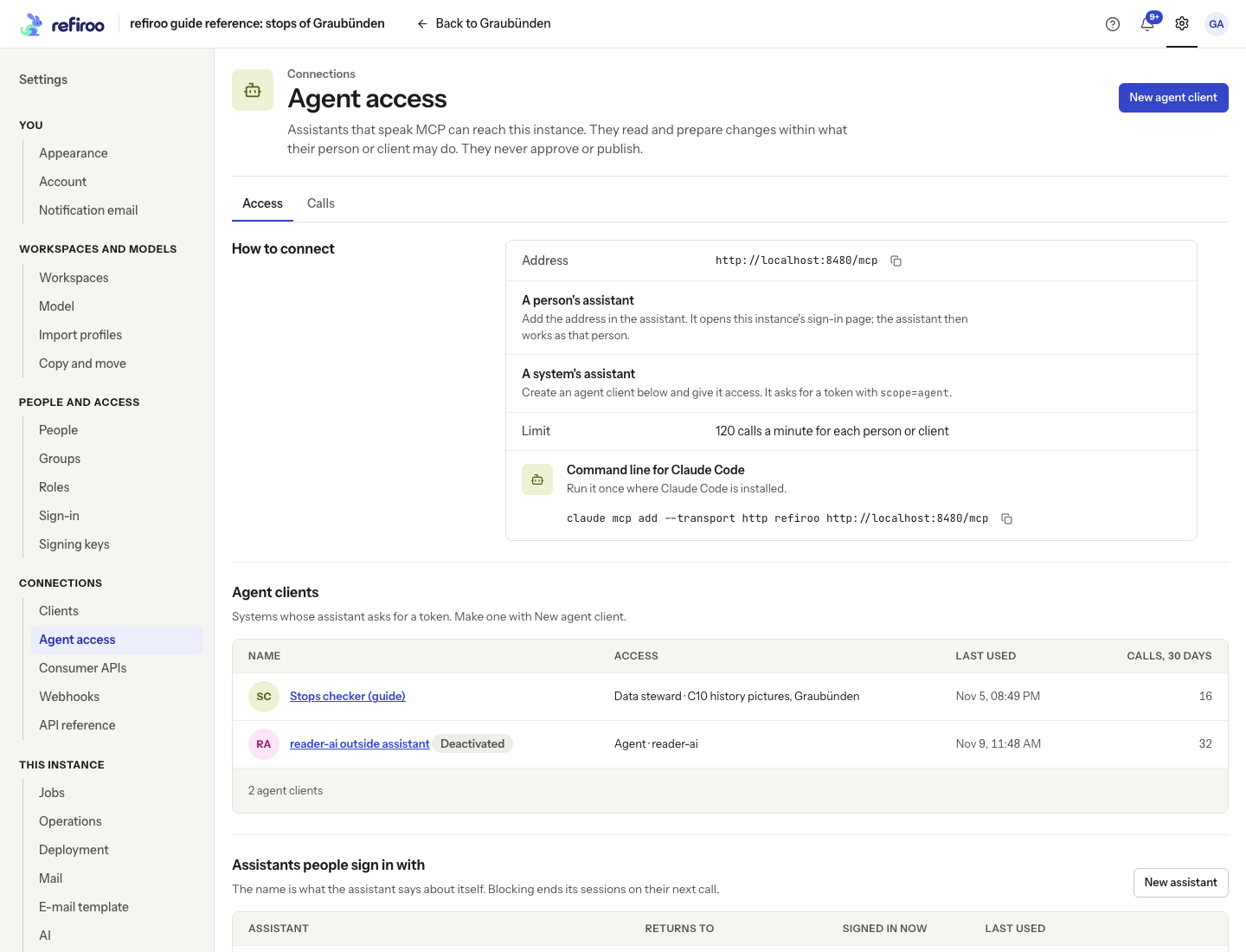
Section titled “1. Get the connection address”Ask a security administrator for the Address under Settings › Connections › Agent access, on the Access tab under How to connect. It ends in /mcp. If the page says Agent access is off, an operator must enable MCP_ENABLED and restart the engine. Set up AI covers that deployment step.
2. Choose whose identity it uses
Section titled “2. Choose whose identity it uses”For a person’s assistant, add the address in that assistant. For Claude Code, the page supplies a command of this form; substitute your instance’s public address:
claude mcp add --transport http refiroo https://your-instance.example/mcpThe assistant discovers refiroo’s sign-in page. The assistant must listen on its registered return address while you sign in, so it can receive the authorization code; a loopback address needs a listener on your computer. Check who is asking and where the sign-in returns before signing in. Sign-in is consent; the resulting session appears among your account’s sessions. If registration is refused, ask the administrator to register the assistant rather than changing the return address blindly. Self-registration permits loopback addresses and configured HTTPS hosts only. A blocked assistant cannot sign anyone in.
For an unattended system, the administrator selects New agent client under Agent clients, creates it and grants it the intended workspace access or consumer API access. Store its secret as a credential. Obtain a token with scope=agent, following the OAuth operations. A regular API client cannot obtain that audience. Use the agent token only on /mcp.
If you implement the person’s connection yourself, follow the protected-resource metadata named by the endpoint’s 401 challenge. It leads to registration and the authorization-code flow with PKCE. Refresh tokens rotate; keep the replacement from every successful renewal. The optional OAuth resource must identify this instance’s /mcp. See Signing in and tokens.
3. Check access before asking for data
Section titled “3. Check access before asking for data”Have the assistant call describe_access. With Browse it can call list_workspaces and read the model of a workspace you choose. With a consumer API grant alone it sees that API’s generated lookup tool instead. Follow cursors until the requested collection is complete.
A missing tool usually means the caller lacks its permission. A workspace the caller cannot read looks missing. Ask the administrator to review the grant; signing in again does not add access. A rate refusal supplies the wait before another call.
4. Prepare and review a small change
Section titled “4. Prepare and review a small change”With Work in change sets, ask the assistant to create a change set, make the intended edits, validate and submit. For example, it can propose corrections to the records in a workspace; it cannot publish them. It reports the change-set ID for your review.
Open that change set in refiroo. Review the changed records and relationships, including anything marked Prepared by an assistant. Correct or remove unwanted changes. An edit withdraws a submission; submit again when the approval rule requires another person. Publish only after the ordinary review. Follow Prepare and publish a change set for that browser task.
If validation fails, have the assistant use the returned code and diagnostics to fix it. If a version moved, reread before another write. If an unwanted row needs removing, a person must do that: MCP offers no removal tool.
5. End or revoke the connection
Section titled “5. End or revoke the connection”End a person’s assistant session from the person’s account when it is no longer needed. A security administrator can block the assistant or deactivate a system’s agent client. The next call is refused. Restoring an assistant requires a new sign-in for sessions that ended.
On Agent access, administrators can inspect Last used, Calls, 30 days and the outcomes on the Calls tab. Use the request reference when reporting a failed call, rather than sending credentials or reference-data values.