

Jobs and limits
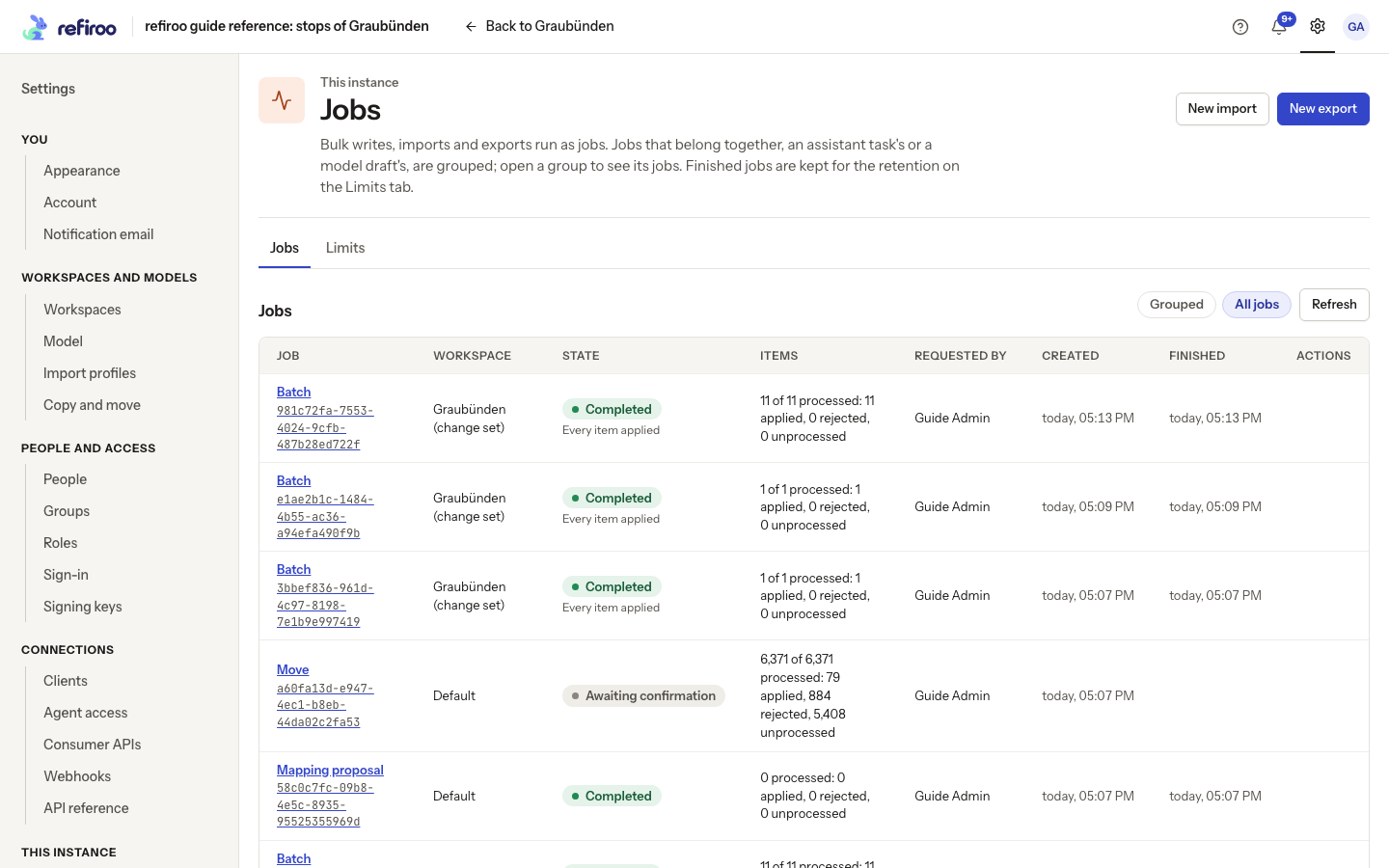
Open Settings › This instance › Jobs to see bulk writes, imports and exports across the workspaces available to you. The list is newest first and shows the job, workspace, state, item counts, requester, creation and finish times. Select a job for its details. This page also shows the deployment limits; it does not edit them.
For the person carrying out an import or export, see Jobs.
Who can see and stop work
Section titled “Who can see and stop work”A requester can see their own job and cancel it while cancellation is available. Other people need the action group for the job’s kind in its workspace. The job and file lists do not expose everyone’s work simply because Jobs is visible in Settings. Security administration does not imply access to job data.
Jobs keep their requester’s permissions. Deactivating the requester or removing a required grant can fail the job at its next step. A role or group change does not wait for the person to sign in again. The requester can still inspect and cancel their own job while their active identity remains permitted to use refiroo.
New import needs Bulk and import; New export needs the corresponding data access. These controls also depend on the operator enabling job creation. Job reads remain available when new jobs are disabled.
Progress and cancellation
Section titled “Progress and cancellation”Use Refresh for current progress and Show more for older entries. Items distinguishes processed, applied, rejected and unprocessed items. Completion alone does not mean every item was applied; read the result and rejected-item details.
For a queued or running job, Cancel asks Cancel this job? In the list, choose Cancel job; on the job detail page, choose Stop the job. Keep the job leaves it running. Cancellation is taken at the next chunk. Already committed chunks stay applied; an atomic job rolls back completely. Items not yet reached remain unprocessed. If the job finished before cancellation arrived, the page refreshes and explains its final state.
Limits
Section titled “Limits”The Limits tab displays the current values. Use these values when planning a large import; do not assume another deployment has the same settings.
| Limit | Meaning |
|---|---|
| Inline batch | Maximum items and size for a batch handled in one request. |
| Atomic batch | Maximum items in a job whose changes succeed or roll back together. |
| Background batch | Maximum items and file size for background work. |
| Chunk | Items processed together at each step of a non-atomic job. |
| Import file | Maximum uploaded file size. |
| Preview | Maximum items shown in an import preview. |
| Jobs kept | How long finished jobs are retained. |
A preview is not proof that every item in a larger file is valid. Inspect the completed job’s outcome. Download needed results before retention removes the detailed outcomes and files. The job becomes Expired and keeps its summary, including counts, result, error and report.
The operator changes these limits in the deployment configuration and restarts the service. Settings › This instance › Deployment shows their sources and meanings to people with Operations. See Deployment pages. Change-feed retention is shown on Consumer APIs, separately from job retention.
When a job cannot continue
Section titled “When a job cannot continue”A job that waits for confirmation keeps waiting until someone confirms, cancels it or its retention expires. An expired preview cannot be confirmed: start the task again to read and check the current data. A failed or cancelled job does not resume merely because its requester’s grants were restored. Read its outcome and correct the cause before starting new work; committed chunks can already have changed data.
When the operator disables new jobs, the browser also hides cancellation controls on this page. Existing job reads remain available. A failure loading Limits has its own retry control; it is not evidence that a displayed old limit still applies. For detailed job states, result downloads and previews, use Jobs. Restoring job storage is part of the operator’s instance restore, not an action in the Jobs list.