

Rename or re-key an element
A name is what people read. A key identifies a definition across releases. Changing a released key needs a migration, even when there are no records; integrations naming it must change too. See Types, attributes and relations.
- Open the element in a draft with Model authoring. Read Key editable until released or Released: a key change needs a migration in its facts.
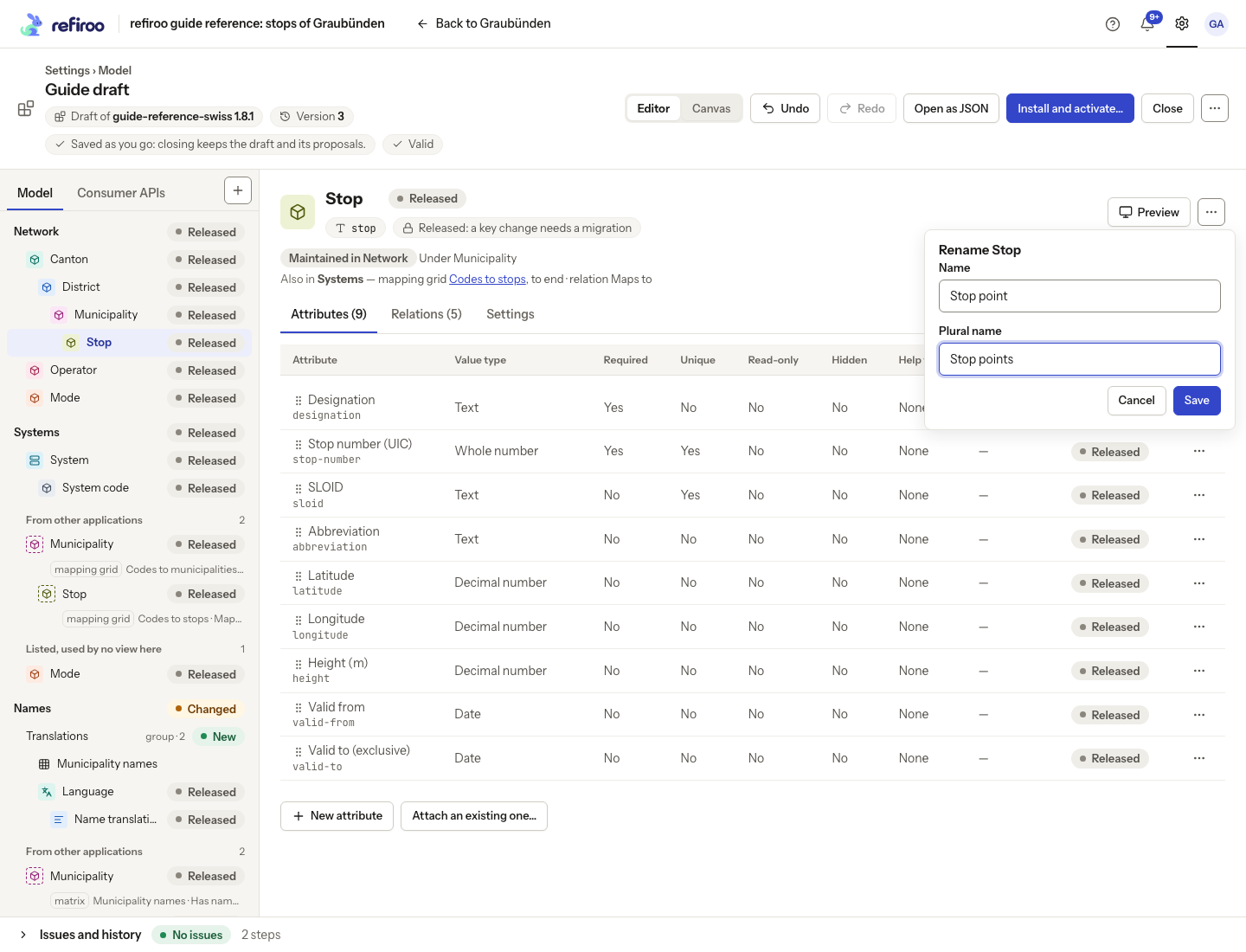
- To change the displayed words in place, select the editable title and enter the name. Leave the field or press Enter to save; Escape puts the old name back. An unchanged input saves nothing. If refused, the input stays open with the reason and Cancel and Save again beneath it. The menu’s Rename… instead opens a short form beneath its control: enter Name and, for a record type, Plural name, then choose Save. Check navigation and views using the name. A shared attribute rename appears on every type that attaches it.
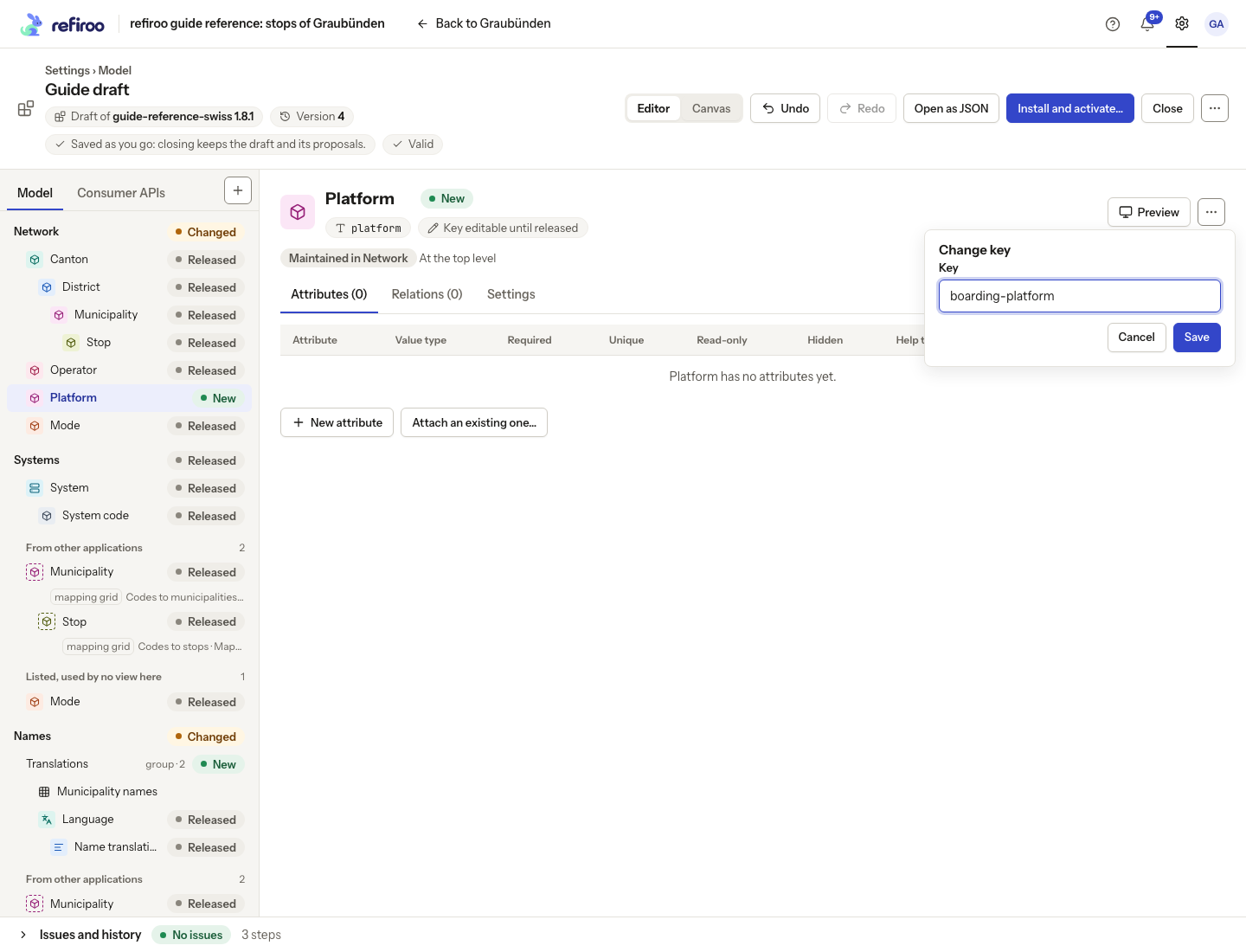
- To change identity, choose Change key… and enter the new key. Relation types offer Change keys…. Save and inspect the affected definitions and Issues. The editor follows references in the draft; check documents and external systems you maintain separately.
- For a released key, read Needs a migration when installed: integrations naming the key must change. The step applies and History marks it Needs a migration. When installing, review the key change and the consumer APIs of the base release naming it. Coordinate integrations before confirming the migration. A label-only rename does not change the key.
- If a save is refused, read Not applied. A key already in use needs a different key; for a newer draft, review concurrent changes.
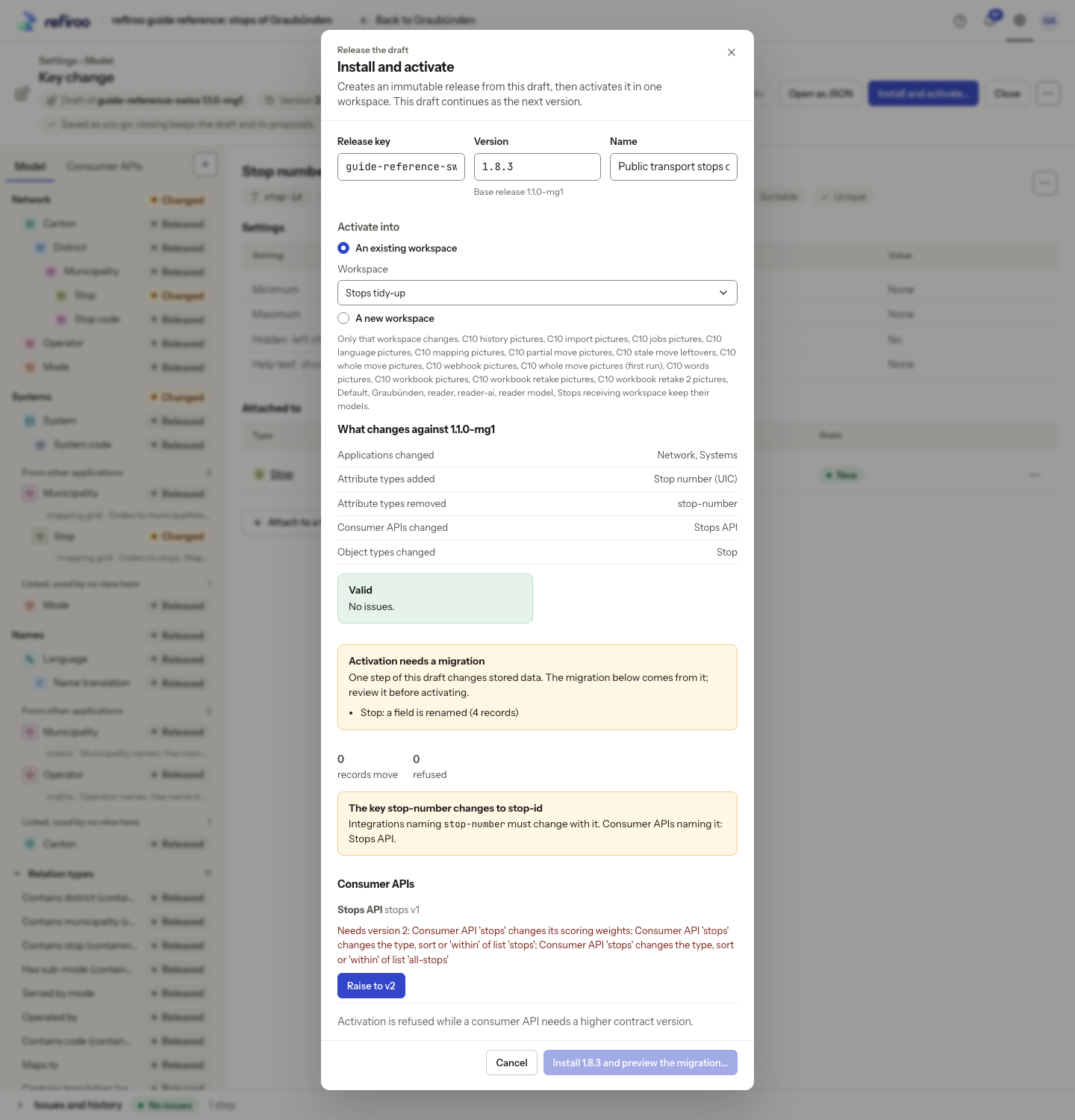
Above: the key change for Stop number (UIC) names Stops API among the consumers that must change. The Consumer APIs check needs version 2, so installation cannot continue from this review.
New keys are suggested from labels: lower-case words separated by hyphens, with accents removed. A clash adds a number such as -2 or -3. Review the suggestion while it is editable; changing a label after release does not generate a new identity.