

Raise a contract version
Raise a consumer contract version when consuming systems must read a changed shape or operation. You need Model authoring to edit and Model release in the destination workspace to activate. Read Consumer APIs for the rules. Agree the change and changeover with the consuming teams first.
Keep the previous version available
Section titled “Keep the previous version available”- Open a draft based on the release whose contract you are changing. Select Consumer APIs, then the API and Types and related. Check Contract version. If the draft says Checked once the draft is valid, fix its issues before relying on the contract check.
- Review your changes to types, fields, related blocks, operations, filters and events. Needs contract version … lists what existing consumers would notice. Choose Raise to version …, or open the API menu and choose Raise contract version to …. Alternatively, edit Contract version in Settings, enter a higher whole number and choose Save. The menu advances it by one.
- Inspect Earlier versions. When the draft’s base release served the previous version, the editor retains that release’s definition, even if you already made breaking edits in this draft. Your edits belong to the new current version. A new API, or a version never served by the base release, has no previous definition to retain. Check the row rather than assuming every increase adds one.
- Check the retained Version and Superseded day. If you have agreed an end date, edit Sunset day, enter a calendar date in year-month-day form and Save. Clear it to withdraw the announcement. The date does not stop service automatically.
- Review Issues, Schema, Message example and the generated operation document. Share the documents with consuming teams. Every earlier version must still have the types, fields and relationships it reads; raising the number cannot repair missing sources.
- Open Install and activate… or Apply to this workspace…. Review Consumer APIs for the destination as well as the comparison against the draft’s base. Install and activate only when the retained contracts still fit that workspace’s active contract.
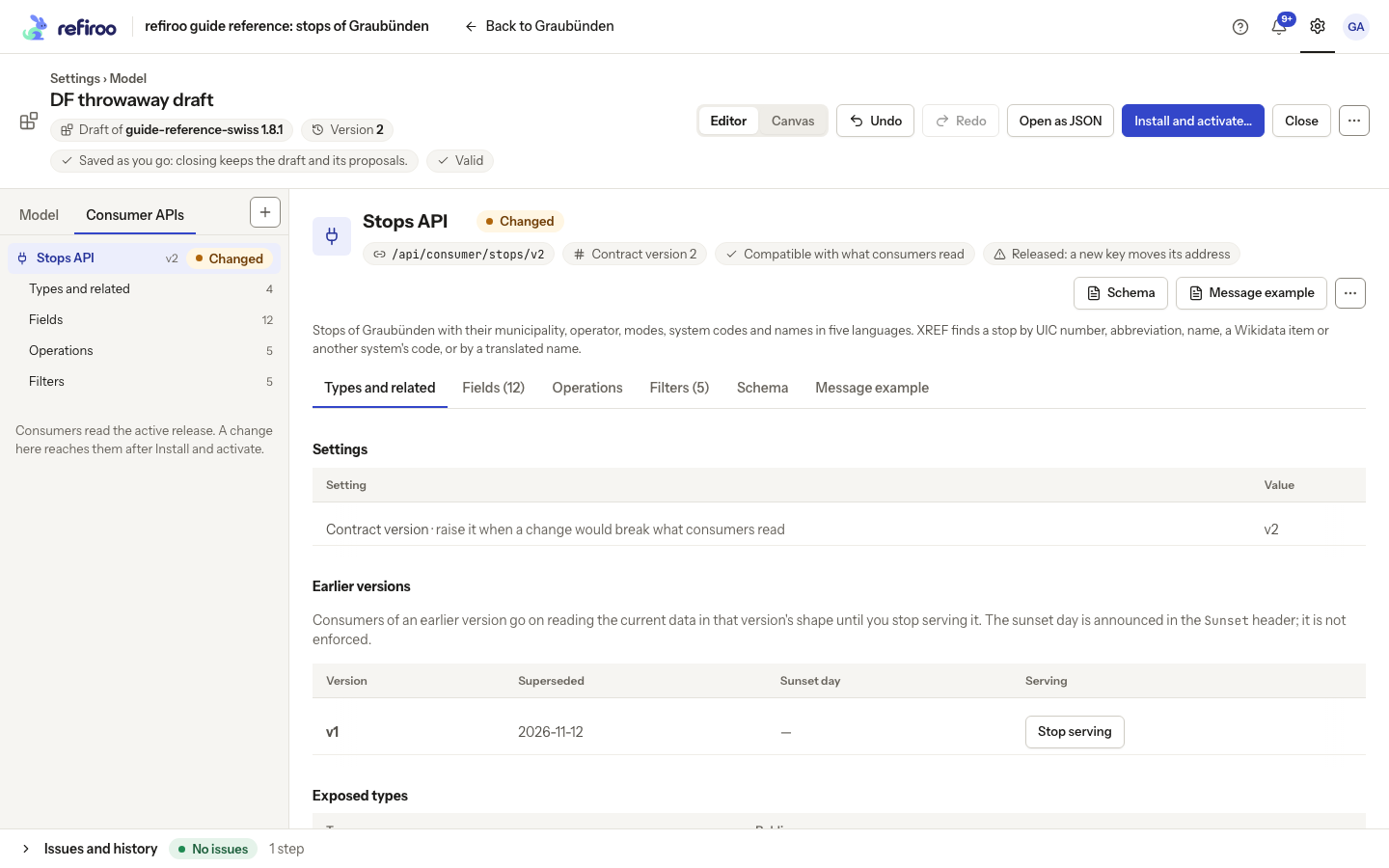
After activation, the new version is available and the retained version keeps reading current data in its original shape. It is not an old data snapshot. Existing webhooks bound to the retained version keep delivering in that version’s shape. Installing alone changes no workspace. Other workspaces keep their own active releases.
Raise without retaining the previous version
Section titled “Raise without retaining the previous version”Use this only when consumers are ready to lose the version being replaced. In Needs contract version …, Raise and stop serving version … raises the version without keeping its predecessor. The API menu offers Raise to … and stop serving … with a confirmation. This does not remove other versions already in Earlier versions.
Review the draft’s History; Undo restores the saved raise step before activation. After activation, consumers of a version no longer served lose their reads, and its webhooks need the receiver owner’s review before resuming on the current version. For a separate, announced removal later, follow Stop serving an earlier contract version.
If the release is refused
Section titled “If the release is refused”- A consumer API needs a higher contract version: read the named contract and differences. Raise the changed current contract or undo the breaking change, then check again.
- a kept version is served as it was: restore it, or stop serving it: the retained version’s output would change. Restore that definition and its sources, or agree to stop serving it. Raising the current version again does not fix this finding.
- An issue naming an earlier version and a missing type, field or relationship needs that source restored or that version removed. A lower version, duplicate retained number, retained number at or above the current version, or invalid date must be corrected.
A model administrator chooses the notice period with the consuming teams. refiroo does not schedule removal or impose its own software compatibility period on your consumer contracts.