Add a record
Create one item of the type declared by your model. See Records for field rules and Hierarchies for placement.
- Open the intended workspace, application and collection. Check Live or the named change set before choosing Add …. If you see Propose a new …, follow Propose a change first.
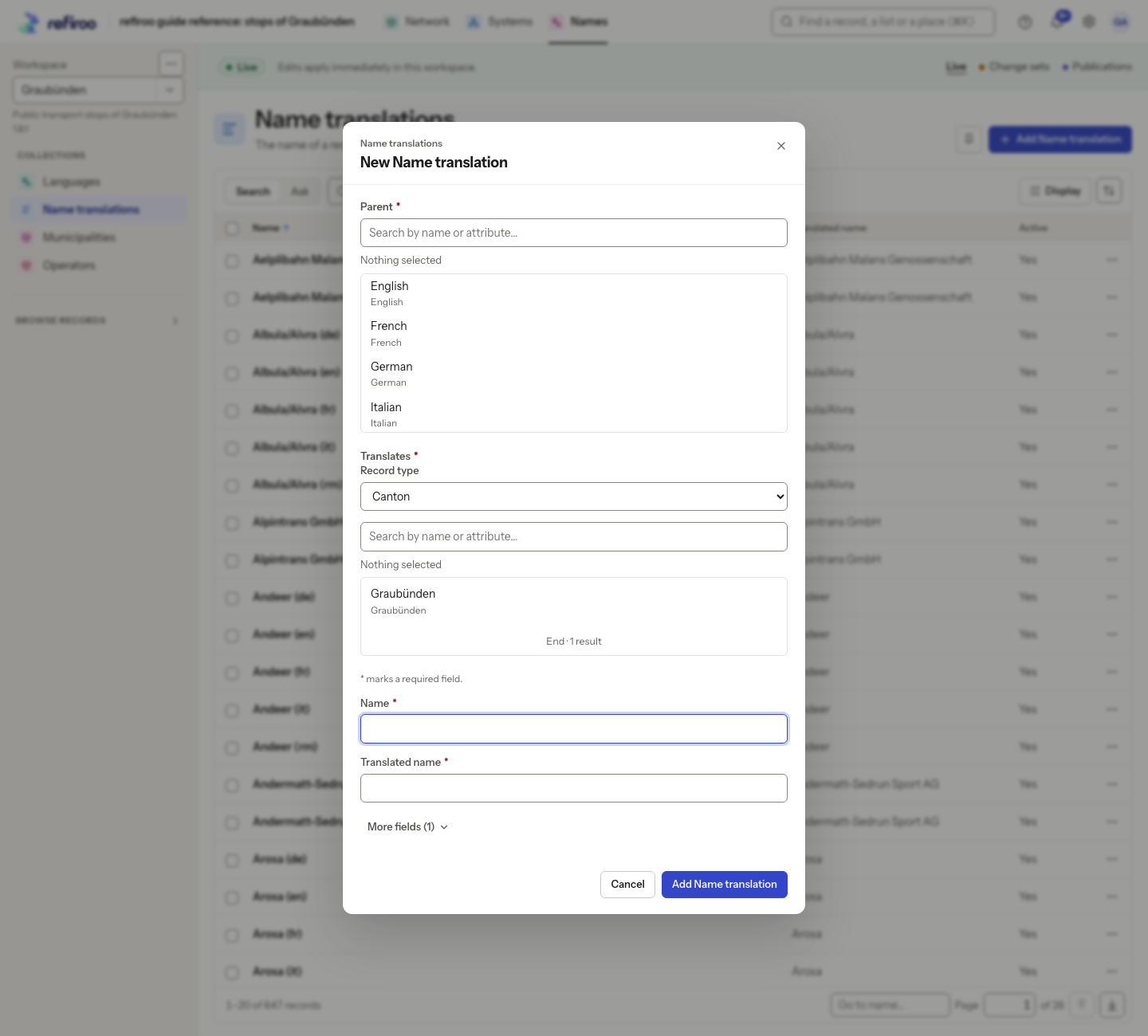
- The New … form opens in the middle of the window on a desktop. Enter the name and required fields first; optional fields wait under More fields (n). That choice is remembered per type in this browser. Required fields must have values, including at least one field where the form gives that rule. Read-only fields cannot be filled through this form. Keep numbers, dates and Yes/No values in their proper controls. Read help below the fields before filling them. Fields hidden by the model are omitted; ask the model administrator if a required piece of information cannot be supplied.
- If the page already supplies the parent, the form says In followed by its name; choose Change only to pick another. Where Parent is offered, select the allowed parent type and search for the record. Some types require a parent and cannot be created at the top. No parent available means you must first provide an allowed parent. Open the hierarchy view and use Add … for its top-level type, then add the child records beneath it. If that action is absent, check your editing access and ask the model administrator about the view’s actions and placement rules.
- Complete required relationships in the same form. Search only offers eligible records in this workspace and context. A general search result elsewhere does not guarantee eligibility.
- Choose Add followed by the record type’s name. Fields, parent and required relationships save together. A refusal leaves no partially created record. Missing and wrongly typed values are explained below their fields; correct the named missing value, duplicate value, invalid date period, placement or relationship and try again.
- Check the new record’s path, fields and save notice. A Live save takes effect immediately; a change-set save stays proposed until publication.
If the workspace’s model changed while the form was open, reload and review the new form. Do not remove required information merely to get past a refusal.