

Explain a period in history
Use this for a workspace’s changes or one record’s past. You need a configured AI provider and Browse and Use AI proposals in the workspace. Counts and model labels go to the provider; at values, names go too. Requests can incur costs and are recorded. Read AI and your data and What changed in a period for privacy and counting rules.
- Open a record in Live and its History, or open Settings › Workspaces, choose the workspace and open Activity. Opening What changed sends nothing to AI.
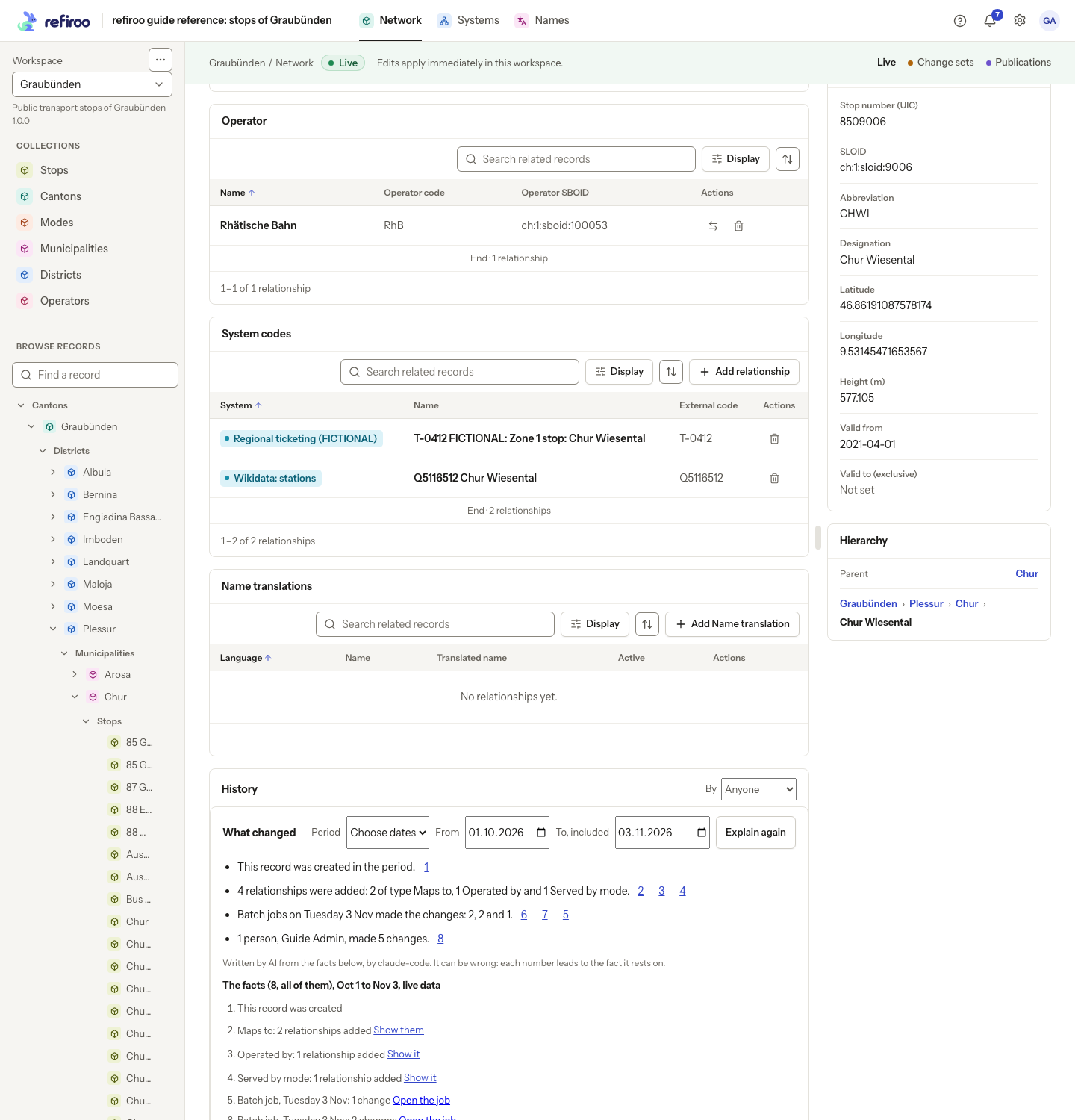
- In Period, keep Last 7 days or Last 30 days, or choose Choose dates. Set From and To, included. Both dates count; the first must not be after the last. A workspace starts with seven days and a record with thirty.
- Read the sending line, then choose Explain this period. Writing the account appears. A period without changes reports that nothing changed and nothing was sent to AI.
- Read the statements and follow each numbered source to its fact. Expand Show the other … to inspect all the facts. The warning that AI can be wrong applies even when a source exists: check that the statement says what its numbers support.
- Choose Show it or Show them beside a fact to narrow the current Activity or History. Use Open the change set or Open the job to inspect its preparation where offered. A missing job link can mean the job is no longer retained or you cannot open it.
- Use Show all activity or Show all history to restore the full list. Change the period and ask again for a different interval, or use Explain again to refresh it. The same facts for exactly the same period within an hour reuse the earlier account without another provider call. Preset periods end at the time you ask, so Explain again can make a new paid call.
If The account could not be written appears, read the facts anyway and use Try again when appropriate. If the request itself fails, its error also offers Try again. Neither failure changes your records. For exact values and individual actions, use the normal History controls; an account counts published changes, not the record edits still waiting in an open change set.