

Model mappings
Use Settings, Copy and move when records need to go into a workspace whose model differs. A model mapping says what each source type, field, parent and relationship becomes in the target. It does not change either model. Follow Move records to another model.
This is different from a mapping grid: a grid relates records within a model; a model mapping translates records between models. The source and target must be different workspaces.
Proposals need your decision
Section titled “Proposals need your decision”Choose an existing mapping for the two models or ask for A new mapping, proposed. The engine uses the models and shared record values to suggest matches. The editor shows source types on the left, mapping choices in the centre and target types on the right. A saved mapping can be reused; opening it does not copy records.
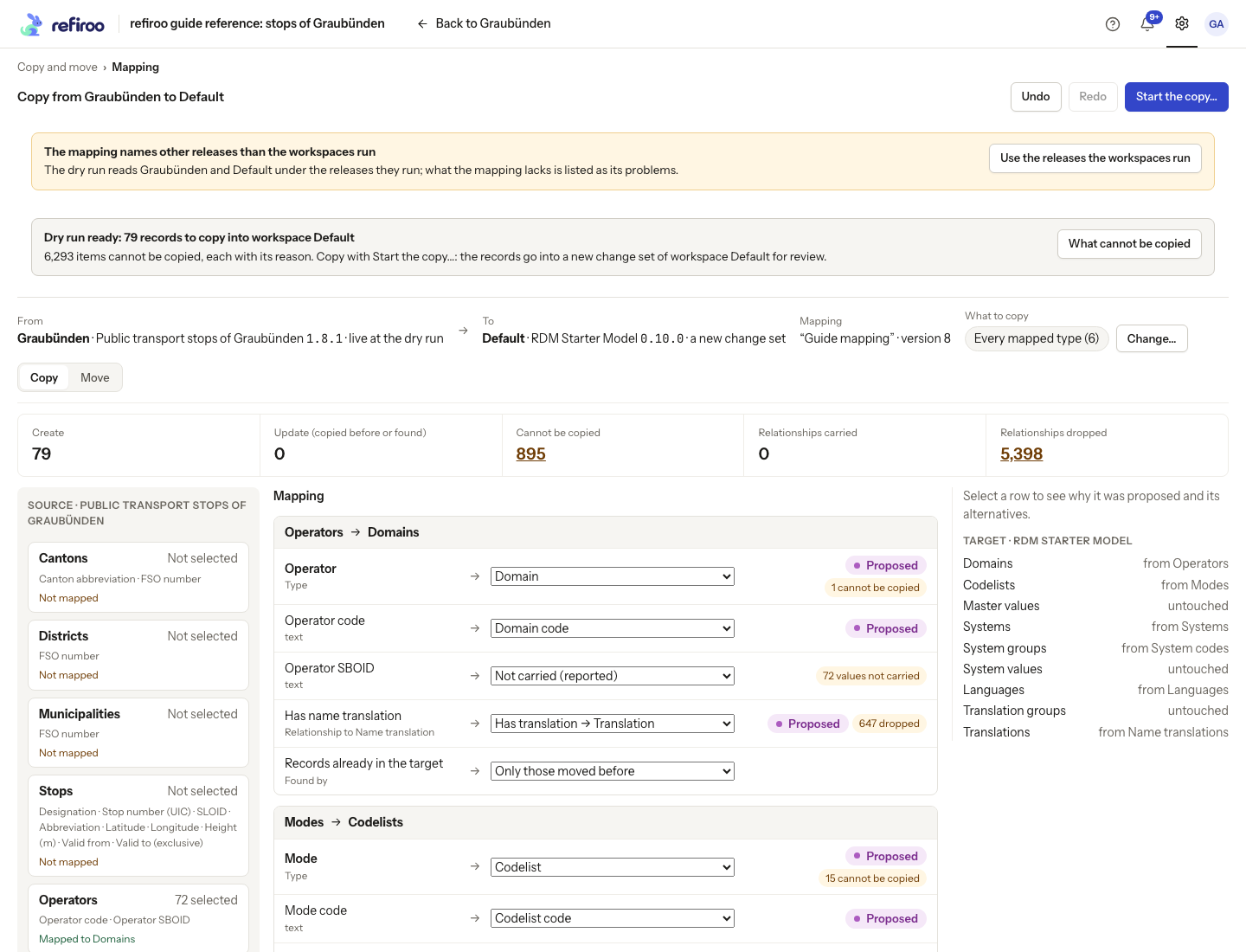
Above: Guide mapping proposes Operators to Domains and Modes to Codelists between Graubünden and Default. Those are suggestions to review, not a recommendation to use this mapping.
Proposed means the choice is still the engine’s suggestion. Select a row for Why this step and read the supporting evidence. Alternatives offer other choices. A similarity in fields or values does not prove the types mean the same thing.
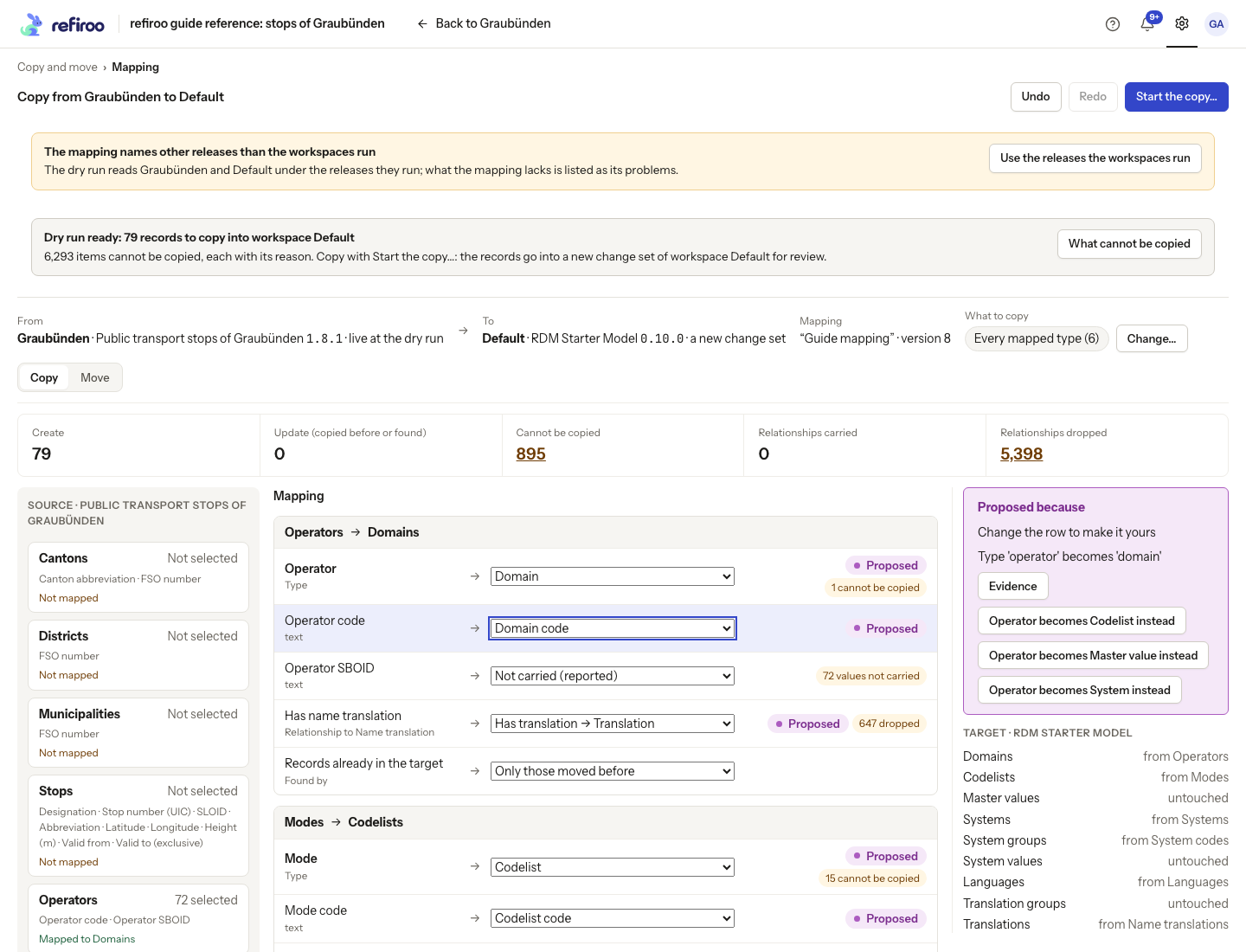
Above: Operator code is selected; alternatives change what Operator becomes in the target.
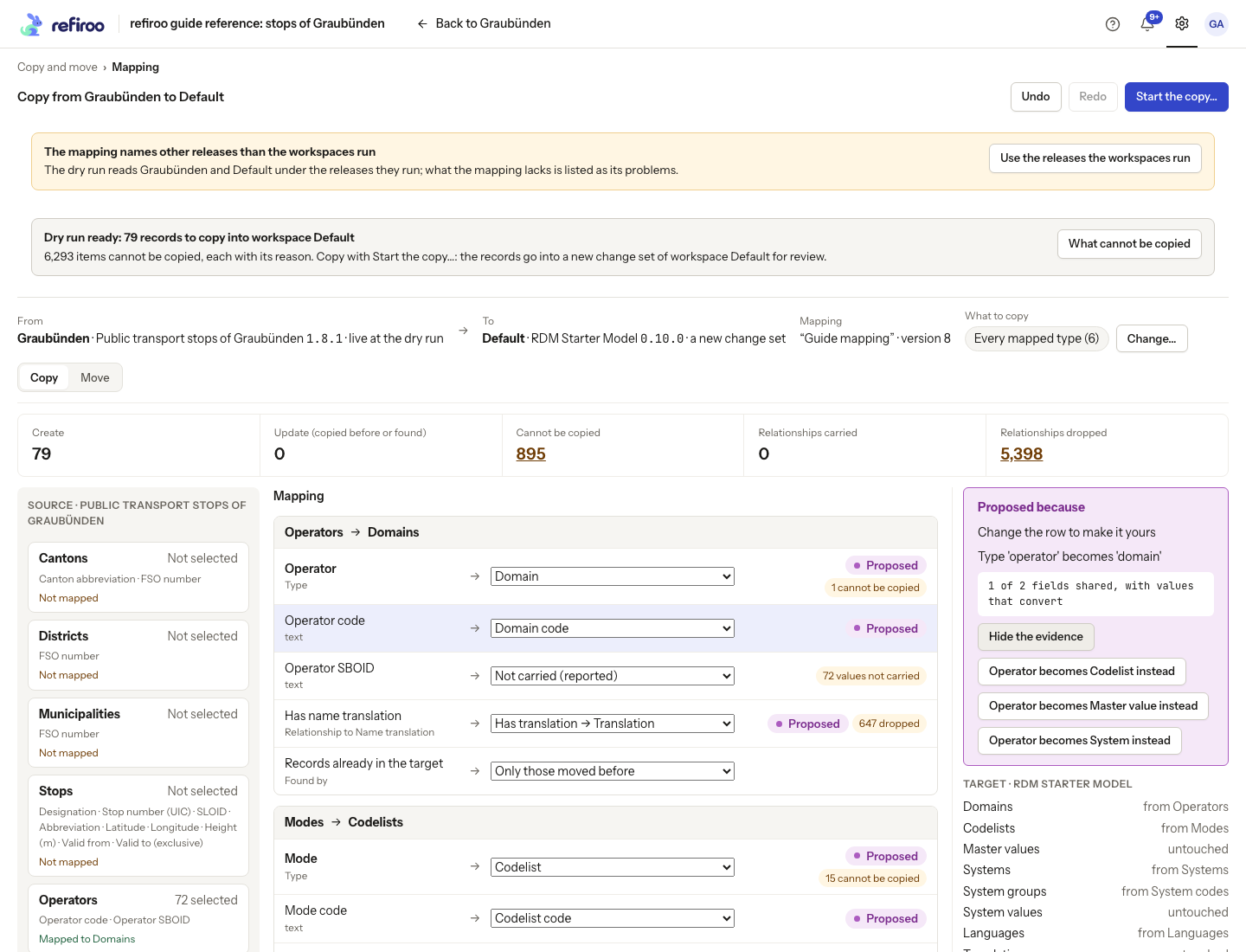
Above: the evidence reports one of two fields shared, with values that convert. This observation alone does not establish that an operator should become a domain.
Edit a row’s choice to make it yours. Review fields that are not carried, parent placement, relationships and Records already in the target, not just the type names. Matching by a unique field can find an existing target record; matching only records moved before is narrower. Records found again are updated rather than duplicated. Undo and Redo revisit saved mapping steps.
Choose records and inspect losses
Section titled “Choose records and inspect losses”What to copy or What to move offers every mapped type, the whole workspace, chosen types with optional filters, or one record and everything under it. Unmapped types in a whole-workspace selection are reported as left out. A subtree includes its contained descendants.
The dry run checks the selection without writing records. Review creates, updates, refused records, carried relationships and dropped relationships. Open What cannot be copied or What cannot move for each reason and its items. An unmapped field may lose its value even when its record can be copied. A relationship can be carried only when its ends can be resolved in the target; otherwise it is reported as dropped.
Correct a required value through a suitable mapping or default, place children under an allowed parent, and map relationships you intend to keep. Do not add arbitrary defaults solely to make a rejection disappear. A partial result needs a deliberate decision about what stays behind. Issues and dry runs explains the figures.
Copy and move reach live data through review
Section titled “Copy and move reach live data through review”Copy prepares a new change set in the target. Source records remain in place. Move also prepares a deletion change set in the source. Review and publish the target copy first, then review and publish the source deletions separately. The source deletion cannot be published before its target copy. Records changed since the dry run, or needed by records staying behind, are kept rather than silently deleted.
Starting the operation does not publish either change set. Review the actual job result as well as the earlier prediction. A newer mapping version or changed model can invalidate confirmation; refresh and review a new dry run before retrying. A selection with nothing eligible cannot start.
The Mappings list keeps reusable mappings. Recent copies and moves lists operations and dry runs waiting to start; a dry run replaced by a later editor step is not listed.
Access and availability
Section titled “Access and availability”Copying and moving needs Copy and move access in the relevant workspaces. Reading records, preparing change sets and publishing them require the corresponding workspace permissions too; being a model author alone does not grant data publication rights. Ask an access administrator when a step is refused. This flow also needs background jobs and model administration enabled on the instance. When unavailable, the page explains why.
Editor tabs and the running job
Section titled “Editor tabs and the running job”Settings › Workspaces and models › Copy and move lists saved Mappings with their source and target models, version and updated time. Recent copies and moves lists workspace pairs, Copy or Move, state, change sets and creation time. Load more mappings reads older mappings.
The editor uses Mapping, Source, Target and Not copied or Not moved tabs, particularly on a phone. Why this step explains a proposed row with evidence and alternatives; it shows no match score. If The mapping names other releases than the workspaces run appears, choose Use the releases the workspaces run, inspect the affected rows and run the dry run again before starting. Read Copying and moving are read-only here or This editor reads only as a deployment restriction; ask the operator about model administration and jobs.
After starting, inspect the job’s actual creates, updates, omissions and refusals and the links to the produced change sets. Its result counts can differ from the dry run after intervening changes. A completed job is not publication: review and publish the target proposal first and, for a move, the source deletion proposal afterwards.
Focused tasks and results
Section titled “Focused tasks and results”Edit a mapping row covers targets, defaults and evidence. Choose what moves covers selection and the loss report.
After completion, Review the change set opens the target changes and Review the deletions opens the source deletion proposal for a move. Inspect deleted and kept counts and each reason. The copy did not complete or The move did not complete means no publication happened; inspect the job and any produced change sets before starting again. Nothing to copy or Nothing to move needs a broader eligible mapping or selection, not repeated confirmation. A running operation continues when you leave its page.
The job’s result lists actual created, updated, refused or kept items and lost values or relationships. Items that cannot … groups reasons; No item has this reason any more means the current report no longer contains that group. Values not carried lists the type, field, record count and reason. A report counts records, relationships and values separately.
Previously copied or moved records retain their correspondence between workspaces. Moving them back can update their original counterparts rather than inventing duplicates; inspect the target matching rule and dry run. This is different from splitting a model definition in a draft. The browser mapping editor offers the rows described here; specialist mapping transformations beyond those controls need an integrator. Release comparisons show relationships and views, not changes to these separately saved model mappings.
Delete a saved mapping
Section titled “Delete a saved mapping”In Mappings, Delete… is shown to people with Copy and move access. The confirmation is Delete the mapping …?. Delete the mapping removes the mapping together with its history and proposals. Cancel keeps it. Copies and moves already made stay as they are; a new operation needs another mapping. This is separate from deleting records or discarding a change set. Deletion has no Undo in this list.
The delete uses the version you viewed. If someone changes the mapping first, deletion is refused; refresh the list, inspect the new mapping and decide again. A failed deletion leaves its error in the confirmation. Do not assume a mapping disappeared until the list removes it. Follow Delete a model mapping for the steps.